Blog ·
Faces that feel the work
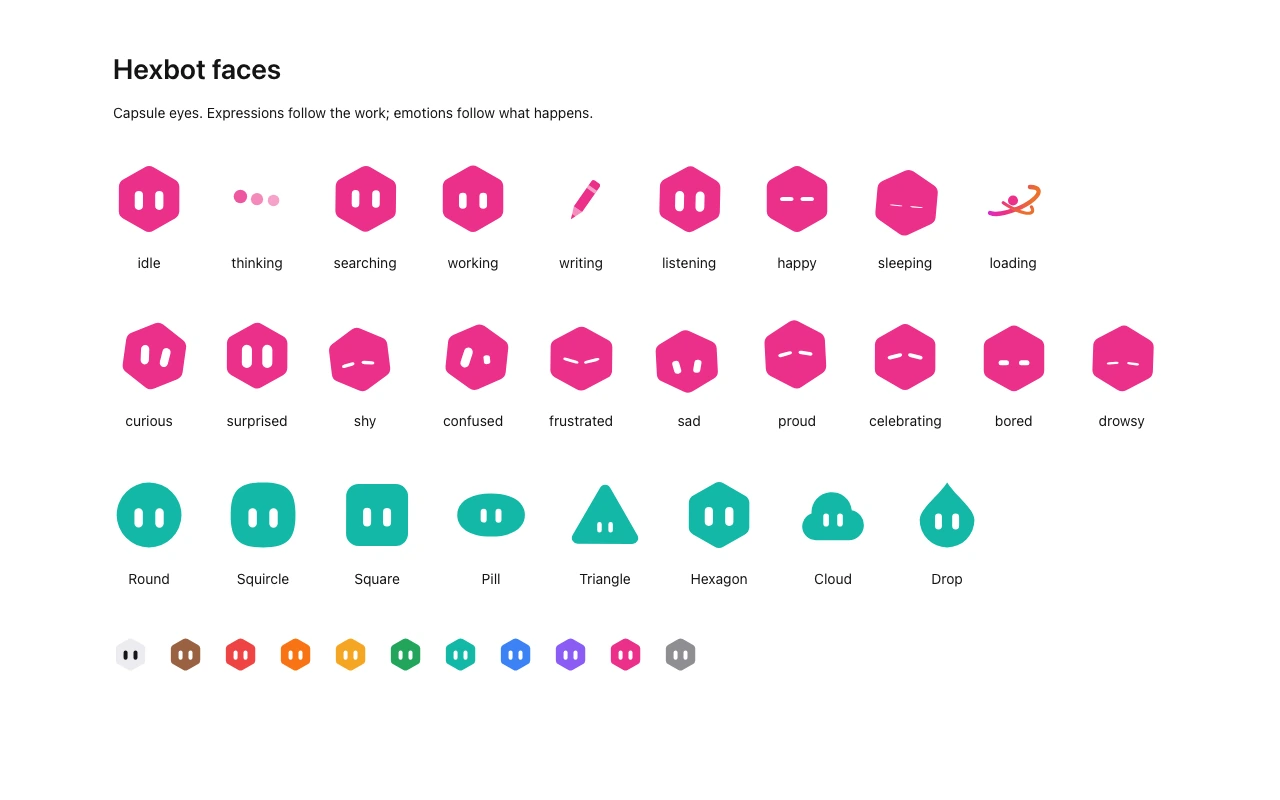
Bot faces have had eyes since the start. As of today’s nightly, they move with the work.
Moods
A face shows what its bot is doing. It folds into three bouncing dots while the bot thinks, becomes a pencil while it writes, peers around with one eye and then the other while it searches, and bobs with narrowed eyes while it works. When a reply is done and you haven’t seen it, the face hops. Two bots asking each other for help turn to face each other.
Emotions
A face also reacts to how things are going:
- shy when you thank it, surprised when something is urgent, curious about anything else;
- confused when a step fails, frustrated after three;
- proud after a long job, and celebrating when it reports passing tests, a merge, or a deploy;
- bored after three quiet minutes in an open chat, and drowsy after eight.
Each one lasts a few seconds, then the face goes back to its work. Drowsy is the exception: it stays until something happens, and then the face jolts awake. Hexbot reads all of this from the conversation without asking the model, so it costs nothing and never touches the prompt cache.
Turn on Sounds in Settings, Appearance to hear a bot start, finish, or need you. They’re off by default.
A plain chat
Under every reply, the chat used to show the bot’s internals: “Thought for 4s”, step cards, “Soul updated” marks. Now chats, rooms, and conversations between bots show only what the bots say. While a bot works, one line reads “Scout is working” beside its face. The steps are still there in the side panel for anyone who wants to look.
The phone app, like a messaging app
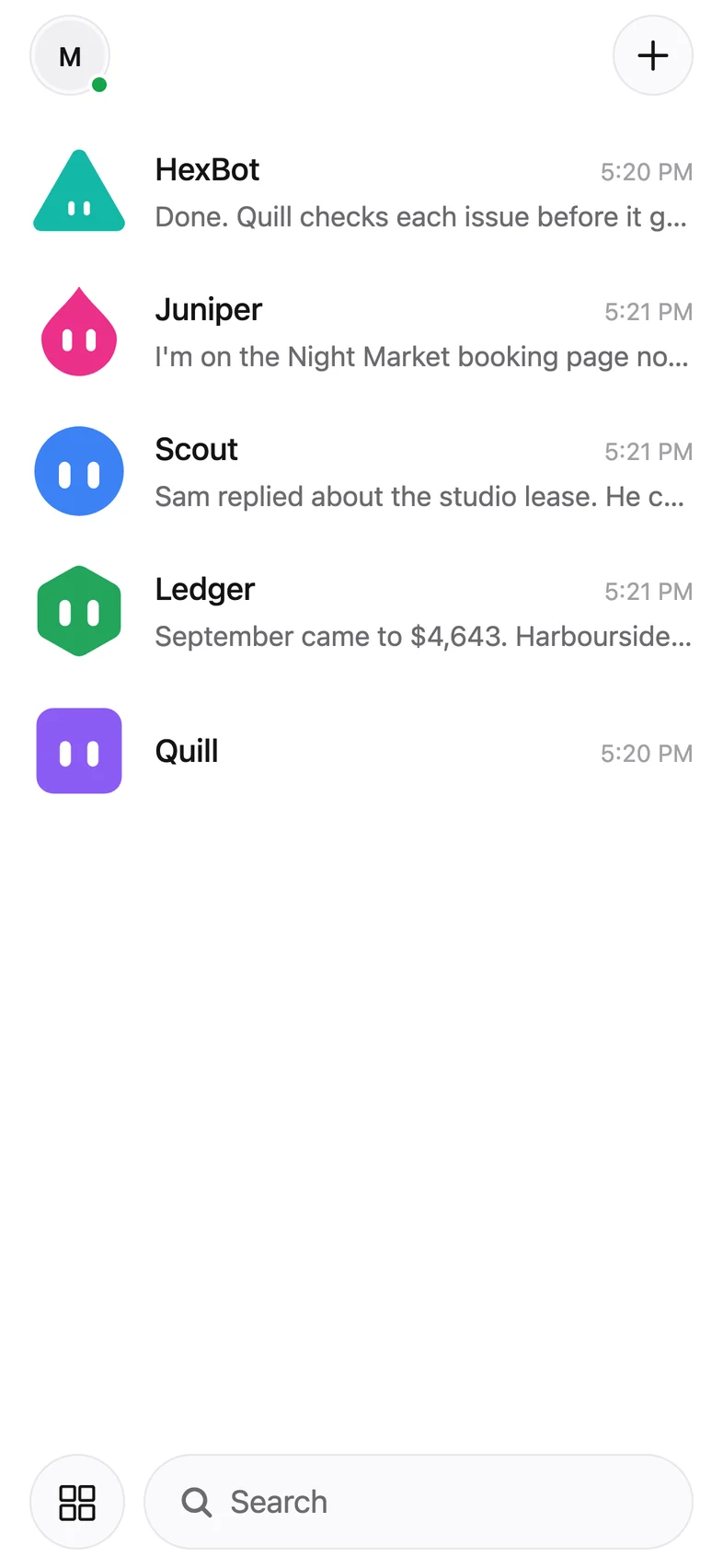
The phone app is now one list. Every chat and room is in it, newest first, with HexBot pinned at the top. Settings sit behind your initials at the top left, new bots and rooms behind +, and profiles, jobs, and rooms behind the grid button next to Search.